This course is part of the Power BI for Data Storytelling ExpertTrack
Advanced Power BI Intelligence with AI, Python, and Governance
Uncover advanced Power BI capabilities by integrating Python, AI, Microsoft Copilot, and governance to build intelligent business.

Duration
3 weeksWeekly study
3 hours100% online
How it worksIncluded in an ExpertTrack
Course 4 of 4
Advanced Power BI Intelligence with AI, Python, and Governance
Extend Microsoft Power BI with AI and Python
Take your Microsoft Power BI skills to the next level by combining business intelligence with Python, AI, and enterprise analytics. On this three-week course, you’ll learn how to enhance reporting workflows using advanced technologies that help organisations deliver smarter, more efficient data-driven decisions.
You’ll begin by integrating Python into Power BI, using it to ingest, clean, transform, and visualise data before creating a simple predictive model. Along the way, you’ll discover how coding can expand the analytical capabilities of Power BI and support more sophisticated reporting solutions.
Use AI and Copilot to enhance data analytics
Discover how AI is transforming modern business intelligence by exploring the advanced AI capabilities built into Power BI. You’ll work with AI visuals to uncover deeper insights from your data.
You’ll also explore generative AI and Microsoft Copilot in Power BI, learning how prompt-based analytics can support data preparation and reporting workflows. Through your exploration, you’ll gain an understanding of how to use AI responsibly within enterprise analytics environments.
Build secure, governed, and high-performing Power BI solutions
As Power BI solutions grow in scale, security and governance become essential. You’ll learn how to implement sensitivity labels, Row-Level Security, and Object-Level Security to protect business data while supporting secure collaboration across organisations.
You’ll also explore governance frameworks, lineage and impact analysis, and performance optimisation techniques that improve report efficiency and maintain reliable analytics at scale. By completing a practical capstone project, you’ll bring together AI, Python, security, and governance to develop a production-ready Power BI solution.
Syllabus
Week 1
Extending Power BI Analytics with Python


Beginning Your Advanced Power BI Journey
Explore how Python, AI, and governance extend Power BI beyond traditional analytics and support advanced enterprise solutions.

Setting Up Python Integration in Power BI
Configure Python integration in Power BI by setting up the environment, enabling script execution, and preparing Python for data ingestion.

Preparing and Transforming Data with Python
Apply Python-based cleaning and transformation techniques to prepare accurate, consistent, and analysis-ready data in Power BI.

Building Python Visuals and Predictive Models
Create Python-powered visualisations and predictive models in Power BI to support advanced analytical insights.
Week 2
Intelligent Analytics with AI and Generative AI

AI in Business Intelligence
Explore how artificial intelligence enhances business intelligence by enabling smarter analysis, pattern discovery, and data-driven insights in Power BI.

Exploring Power BI's AI Visuals
Investigate Power BI’s AI visuals to uncover patterns, identify key influencers, detect anomalies, and analyse factors driving business outcomes.

Advancing Power BI with Generative AI, Copilot, and Agentic AI
Leverage Generative AI, Copilot, and Agentic AI to enhance data preparation, reporting, automation, and intelligent analytics in Power BI.
Week 3
Securing, Governing, and Optimising Power BI

Establishing Power BI Governance and Security
Establish governance and security practices in Power BI to protect data and support responsible enterprise analytics.

Securing Data with RLS and OLS
Implement Row-Level Security (RLS) and Object-Level Security (OLS) in Power BI to control data access and ensure users view only authorised information.

Governing, Optimising, and Monitoring Power BI Solutions
Manage Power BI solutions using data lineage, impact analysis, performance optimisation, and scorecards to support effective governance and monitoring.
Prove you're job ready
Highlight the new, job-relevant skills you’ve gained and supplement existing qualifications with a hard-earned, industry-specific digital certificate – plus one for every course within your ExpertTrack.
- Learn the latest in your chosen industry or subject.
- Complete each course and pass assessments.
- Receive certificates validated by the educating organisation.
- Impress employers with learning outcomes you can add to your CV.
- Make your career dreams a reality.
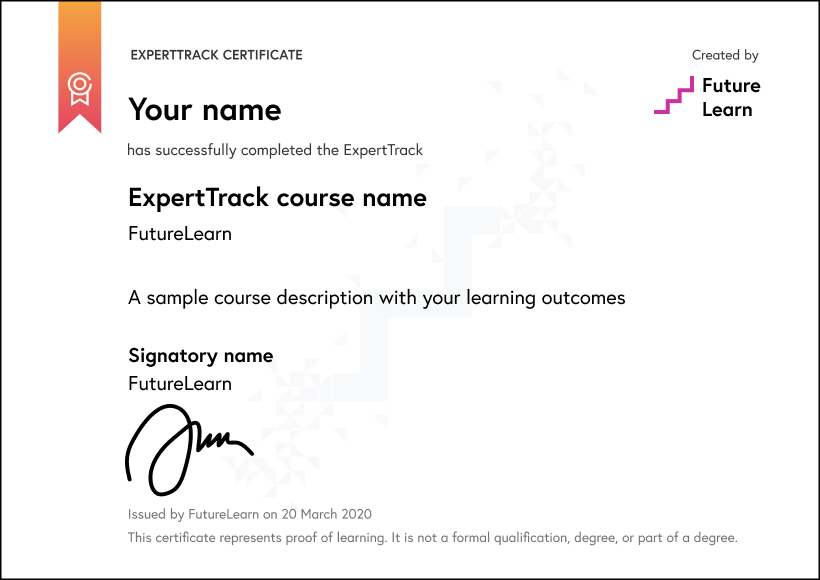
Download a PDF
Learning on this course
On every step of the course you can meet other learners, share your ideas and join in with active discussions in the comments.
What will you achieve?
By the end of the course, you‘ll be able to...
- Apply Python within Power BI for data ingestion, transformation, visualisation, and predictive analytics.
- Investigate business data using AI visuals, anomaly detection, decomposition trees, and automated insights.
- Explore Generative AI and Copilot capabilities for data preparation, reporting, and natural-language analytics.
- Evaluate Power BI security and governance controls, including sensitivity labels, Row-Level Security, and Object-Level Security.
- Explain performance analysis, data lineage, impact analysis, and monitoring in enterprise Power BI solutions.
Who is the course for?
This course is designed for experienced Power BI developers, BI engineers, data analysts, reporting specialists, and analytics professionals who want to extend Power BI beyond standard reporting.
It is ideal for learners ready to use Python, AI visuals, generative AI, Copilot, security controls, governance practices, and performance optimisation to build advanced, enterprise-ready Power BI solutions.
Prior experience with Power BI Desktop, DAX, data modelling, visualisation, Power BI Service, and enterprise reporting workflows is recommended.
What software or tools do you need?
Learners should have basic Power BI knowledge, including data preparation, modelling, DAX, and visualisation. A Windows computer, a stable internet connection, and a Microsoft email account are required. Python installation and configuration are covered within the course, so prior Python experience is not required.
Who will you learn with?

Who developed the course?
Edureka
Edureka is a global online learning platform offering industry-focused training in emerging technologies such as Cloud, AI, GenAI, Data Science, DevOps, and Cybersecurity, helping professionals upskill and advance their careers.

Start learning today - free 2-day trial
After your free trial you can:
- Pay $59 per month to keep learning online
- Have complete control over your subscription; you can cancel any time
- Work at your own pace and set your own deadlines at every stage
- Only pay while you’re learning; the subscription will cancel automatically when you finish
- Complete online assessments to test your knowledge and prove your skills
- Earn digital course certificates and a final award that you can share online, with potential employers, and your professional network
- Keep access to the content of courses you complete even after your subscription ends
Learning on FutureLearn
Your learning, your rules
- Courses are split into weeks, activities, and steps to help you keep track of your learning
- Learn through a mix of bite-sized videos, long- and short-form articles, audio, and practical activities
- Stay motivated by using the Progress page to keep track of your step completion and assessment scores
Join a global classroom
- Experience the power of social learning, and get inspired by an international network of learners
- Share ideas with your peers and course educators on every step of the course
- Join the conversation by reading, @ing, liking, bookmarking, and replying to comments from others
Map your progress
- As you work through the course, use notifications and the Progress page to guide your learning
- Whenever you’re ready, mark each step as complete, you’re in control
- Complete 90% of course steps and all of the assessments to earn your certificate
Want to know more about learning on FutureLearn? Using FutureLearn


