Power BI for Data Storytelling
Gain the Microsoft Power BI expertise employers value and build the skills to advance your business intelligence career.


Duration
Approx 12 weeks3 hrs per week

Master Microsoft Power BI from foundations to advanced analytics
Think of Power BI as a complete analytics toolkit rather than a single reporting application. Each course adds a new capability, from preparing and organising data to analysing it, presenting insights, and managing solutions at scale.
Across this ExpertTrack, learners will build a strong foundation in Power BI Desktop before progressing to advanced DAX, enterprise reporting, cloud deployment, Python integration, AI, Microsoft Copilot, and governance. This structured pathway will help learners understand not only how to use individual features, but also how these features work together within a modern business intelligence environment.
Learn the Complete Power BI Workflow
A successful Power BI solution works like a well-designed production line: raw data enters at one end, passes through several carefully managed stages, and becomes clear, decision-ready insight at the other.
Learners will begin by connecting, cleaning, and transforming data with Power Query before organising it using effective data modelling techniques. They will then use DAX to create meaningful calculations, design interactive reports and dashboards, and publish content through Power BI Service.
The ExpertTrack will also introduce Report Builder, Report Server, security, governance, and deployment across cloud and on-premises environments. Learners will then extend Power BI using Python, AI, and Microsoft Copilot to create more intelligent and scalable analytics solutions.
Develop Practical Business Intelligence Skills for Your Career
Throughout the ExpertTrack, learners will apply their knowledge to realistic workplace scenarios that reflect the challenges faced by analytics teams.
Rather than focusing only on individual tools, learners will practise turning business questions into structured data models, useful calculations, clear visual stories, and managed reporting solutions. These activities will help them build the confidence to work with stakeholders, communicate findings, and support data-driven decisions.
By completing the ExpertTrack, learners will develop skills relevant to roles such as Data Analyst, Business Intelligence Analyst, Reporting Analyst, and Power BI Developer.
Key skills you will learn
- Data Preparation and Transformation
- Data Modelling
- DAX
- Reports, Dashboards, and Data Storytelling
- Power BI Service and Enterprise Reporting
- Security, Governance, and Performance
- AI and Advanced Analytics
Experience required
This ExpertTrack is designed for aspiring and existing data professionals who want to build practical Microsoft Power BI expertise and progress their careers in business intelligence. It’s ideal for learners looking to develop job-ready skills in data analysis, reporting, visualisation, DAX, enterprise deployment, and AI-powered analytics.
Learners need a computer (Windows, macOS, or Linux) with at least 8 GB RAM and a stable internet connection. No prior Python installation is required, as learners will be guided through the Python installation process during the ExpertTrack.
Getting started
Whether you’re starting a career in data, moving into a business intelligence role, or looking to strengthen your existing analytics capabilities, this collection provides a structured pathway from Power BI fundamentals to advanced enterprise solutions.
ExpertTrack course overview
Course 1


Power BI Foundations: Data Preparation and Modelling for Analytics
Build in-demand Power BI skills to use in analyst and reporting roles as you learn to prepare and create effective data models.
3 tests
3 weeks
3 hours per week
Week 1
Business Intelligence and the Power BI Ecosystem
- Navigating Your Power BI Journey
- Exploring the Foundations of Business Intelligence
- Inside the Power BI Ecosystem
- Choosing the Right Power BI Environment
Week 2
Data Preparation and Transformation with Power Query
- Connecting and Loading Data
- Transforming Data with Power Query Editor
- Advanced Query Techniques and Data Profiling
Week 3
Building Data Models and Your First Report
- Introduction to Data Modelling
- Relationships, Cross-Filter Directions, and Model Optimisation
- Validating Model with Basic Visualisation
Course 2

Mastering DAX and Data Visualisation in Power BI
Advance your Power BI skills by mastering DAX and designing compelling data reports that support better business decisions.
3 tests
3 weeks
3 hours per week
Week 1
Building Business Calculations with DAX
- Getting Started with DAX
- Learning the Foundations of DAX
- Creating Business Calculations with DAX
- DAX: Context and Performance
Week 2
Designing Impactful Data Visualisations
- Building Core Visualisation Skills
- Selecting the Right Visual for Every Insight
- Designing Insightful Reports
Week 3
Interactive Reporting and Data Storytelling
- Enhancing Report Interactivity
- Crafting Reports that Tell a Story
Course 3

Power BI at Scale: Enterprise Reporting and Cloud Deployment
Learn to deploy Power BI at scale and gain a skill set that is immediately applicable to mid- to senior-level Power BI roles.
3 tests
3 weeks
3 hours per week
Week 1
From Desktop to Service: Publishing and Sharing Insights
- Beginning Your Power BI Service Journey
- Exploring the Power BI Service Environment
- Publish and Explore Business Insights
- Sharing and Collaborating with Power BI Service
Week 2
Enterprise Data Connectivity and Solution Deployment
- Building Enterprise Data Connectivity
- Managing Dataflows, Gateways, and Refresh
- Deploying and Extending Power BI Solutions
Week 3
Paginated and On-Premises Enterprise Reporting
- Setting Up and Managing Power BI Report Server
- Building Paginated Reports with Power BI Report Builder
Course 4

Advanced Power BI Intelligence with AI, Python, and Governance
Uncover advanced Power BI capabilities by integrating Python, AI, Microsoft Copilot, and governance to build intelligent business.
3 tests
3 weeks
3 hours per week
Week 1
Extending Power BI Analytics with Python
- Beginning Your Advanced Power BI Journey
- Setting Up Python Integration in Power BI
- Preparing and Transforming Data with Python
- Building Python Visuals and Predictive Models
Week 2
Intelligent Analytics with AI and Generative AI
- AI in Business Intelligence
- Exploring Power BI's AI Visuals
- Advancing Power BI with Generative AI, Copilot, and Agentic AI
Week 3
Securing, Governing, and Optimising Power BI
- Establishing Power BI Governance and Security
- Securing Data with RLS and OLS
- Governing, Optimising, and Monitoring Power BI Solutions
Prove you're job ready
Highlight the new, job-relevant skills you’ve gained and supplement existing qualifications with a hard-earned, industry-specific digital certificate – plus one for every course within your ExpertTrack.
- Learn the latest in your chosen industry or subject.
- Complete each course and pass assessments.
- Receive certificates validated by the educating organisation.
- Impress employers with learning outcomes you can add to your CV.
- Make your career dreams a reality.
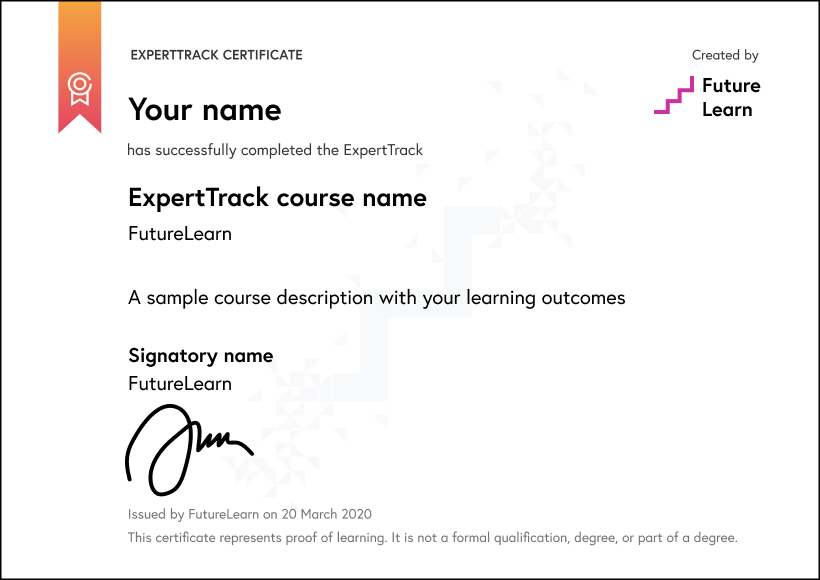
Download a PDF
How ExpertTracks work
Join an ExpertTrack to master new skills in your chosen specialist area. Work through a series of topic-focused courses at your own pace, and pass the final assessment to earn a digital certificate award which proves your expertise.
Decide if the ExpertTrack is right for you with free access to the full suite of courses and assessments for a week.
Pay a monthly subscription fee of $59 for as long as it takes you to complete the ExpertTrack. You can learn at your own pace and cancel at any time.
Receive a certificate for every completed course and pass the final assessment to earn a digital certificate.
Use your specialist training to progress further in your career or build expertise in areas you’re passionate about.

World-class learning with Edureka
Edureka is a global online learning platform offering industry-focused training in emerging technologies such as Cloud, AI, GenAI, Data Science, DevOps, and Cybersecurity, helping professionals upskill and advance their careers.
Meet your instructor

Learning on FutureLearn
Your learning, your rules
- Courses are split into weeks, activities, and steps to help you keep track of your learning
- Learn through a mix of bite-sized videos, long- and short-form articles, audio, and practical activities
- Stay motivated by using the Progress page to keep track of your step completion and assessment scores
Join a global classroom
- Experience the power of social learning, and get inspired by an international network of learners
- Share ideas with your peers and course educators on every step of the course
- Join the conversation by reading, @ing, liking, bookmarking, and replying to comments from others
Map your progress
- As you work through the course, use notifications and the Progress page to guide your learning
- Whenever you’re ready, mark each step as complete, you’re in control
- Complete 90% of course steps and all of the assessments to earn your certificate
Want to know more about learning on FutureLearn? Using FutureLearn
What are our learners saying?
Add a new skill or forge a new path
"I recommend Futurelearn to anyone looking to learn and upskill...If you are in the job market, you might want to add a new skill or forge a new path."
They bring the classroom right to you
"FutureLearn courses are always interesting and informative. They bring the classroom right to you and send you on a journey to explore new ideas and offer interesting topics."
Start learning today - free 2-day trial
After your free trial you can:
- Pay $59 per month to keep learning online
- Have complete control over your subscription; you can cancel any time
- Work at your own pace and set your own deadlines at every stage
- Only pay while you’re learning; the subscription will cancel automatically when you finish
- Complete online assessments to test your knowledge and prove your skills
- Earn digital course certificates and a final award that you can share online, with potential employers, and your professional network
- Keep access to the content of courses you complete even after your subscription ends
FAQ
ExpertTracks are a series of online courses designed to help you master new skills in specialist areas. You pay a monthly subscription fee which includes access to all courses within the ExpertTrack, as well as assessments and the final digital certificate.
Each ExpertTrack comes with a 2-day free trial period. You may cancel your subscription at any time and your subscription will automatically cancel when you finish the courses and assessments in your chosen ExpertTrack.
Yes. All of our ExpertTracks come with a 2-day free trial. You may claim one free trial period per ExpertTrack.
You have two days before you will be charged your first monthly subscription fee. When you join an ExpertTrack you automatically receive a 2-day free trial period. You can cancel at any time during the trial period and no payment will be taken from your account.
Please see our full refund policy here.
No, all of our ExpertTracks consist of fully online courses. This means you can take an ExpertTrack from anywhere in the world.
No. ExpertTracks are designed for you to master new skills in a specialist area. You will earn a digital certificate that proves your learning, but it does not carry accreditation.
If you’re looking for certified or accredited courses, many of our microcredentials offer university credit or professional certification.
Have more questions about ExpertTracks? Read the ExpertTracks FAQs, or contact us.